e-Factura connection Guide
 online.contadigital.ro/efactura
Overview
This guide explains how to connect your SPV (ANAF) account to Contadigital for automatic electronic invoice transmission.
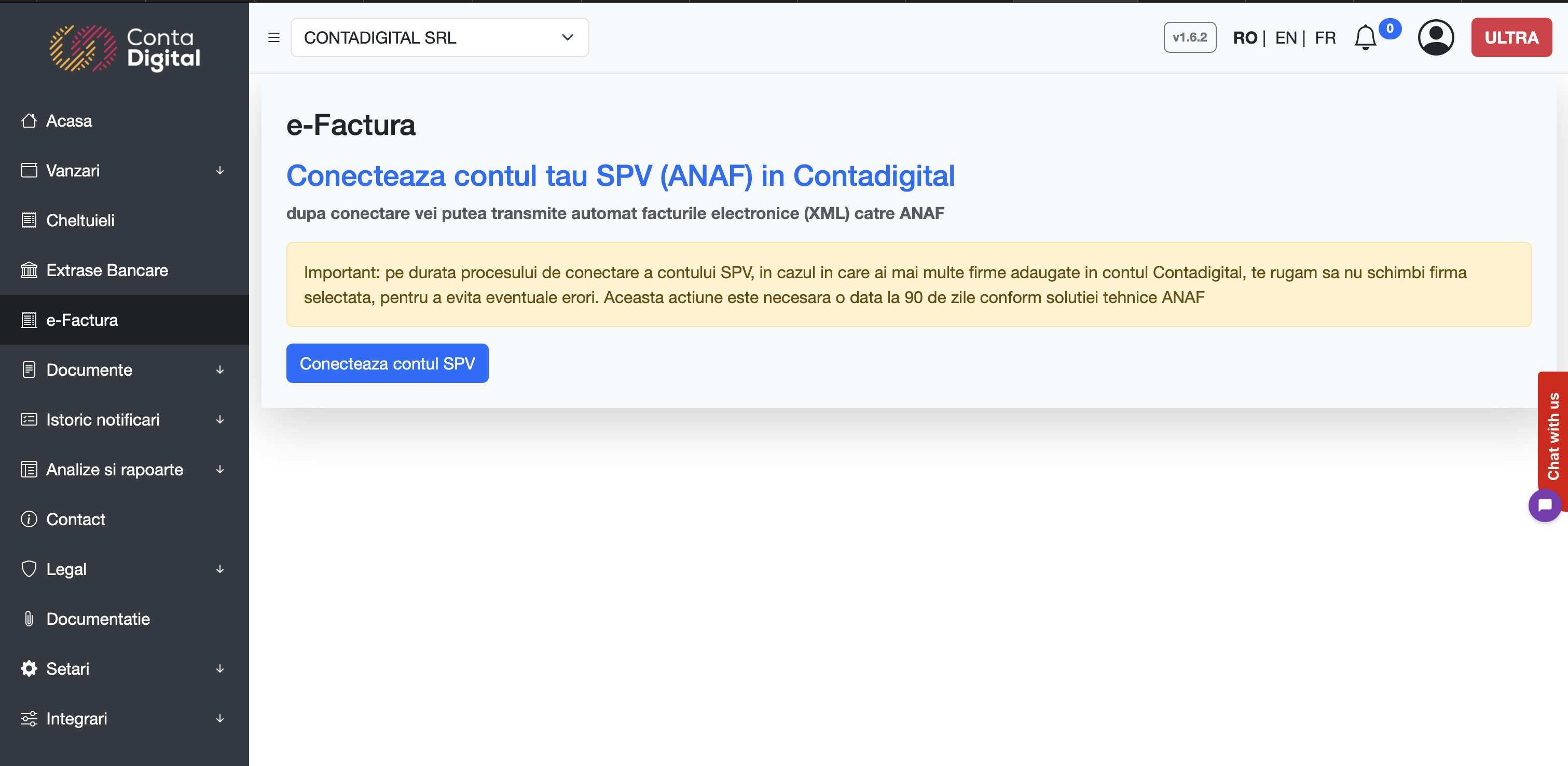
Connection Steps
1. Access e-Factura Module
- From the left sidebar menu, click on e-Factura
- You will see the section "Connect your SPV (ANAF) account to Contadigital"
2. Initiate Connection
- Click the blue button "Connect SPV Account"
- You will be prompted to authenticate with your ANAF credentials
3. ANAF Authentication
- Enter your SPV/Token access credentials
- Complete two-factor verification if required
4. Confirm Connection
- After successful authentication you'll be redirected to the e-Factura Module and the connection button will dissapear
Authorization failure
There are some situations where the connection may fail, in which case you will need to initiate the connection again after 60 minutes. This happens usually because ANAF servers are down